

Setup & Kickoff
New Title wizard, package linked, agreements signed.
Included on every package · Lifetime access
Need author portal login? Sign in below. The AuthorShelf Portal is your book’s logistics system — six tracked phases, file versions, approvals, team messaging, and royalty reporting. Not email-thread guesswork.
Many paid publishers leave authors in email chaos — lost files, mystery timelines, and royalty confusion. The AuthorShelf Portal is your book’s production command center: a logistics system that tracks every manuscript, proof, approval, and distribution milestone so nothing falls through the cracks. Included on every tier from Spark ($399) through Ultimate ($2,989) — for life, no subscription.
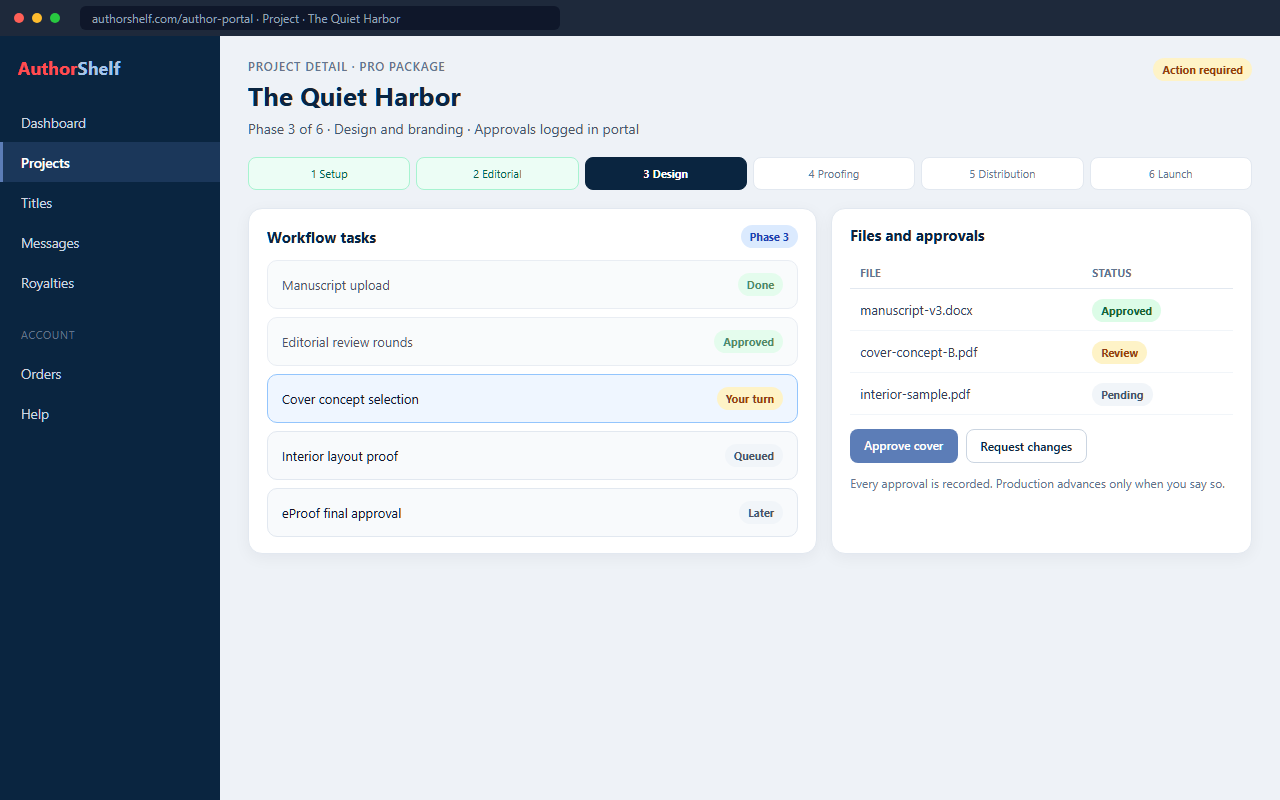
Live product UI (sample project data for preview) — the same operational pipeline authors use after purchase
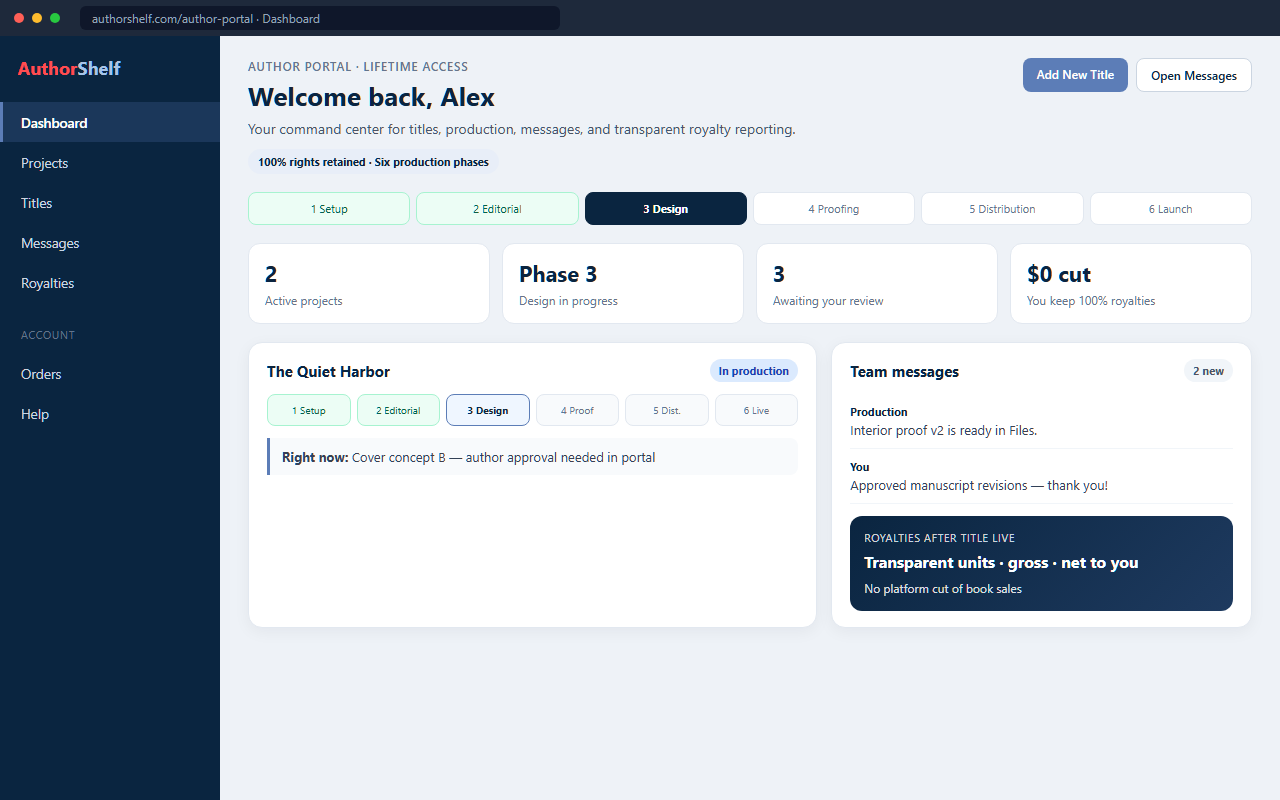
AuthorShelf Portal product UI (demo project data for illustration). Not a live customer account. Every package includes lifetime access — no portal subscription.
One place for your entire publishing business
From your first login, the sidebar gives you Dashboard, Projects, Titles, Messages, Royalties, Reports, Book Orders, Service Orders, Account, Marketing Services, and Help. Open any project’s View Details for the full workflow, uploads, tasks, and team messages.
See active projects, open tasks, and quick links to start a New Title or jump to Messages — always know what needs your attention next.
Every book in production lives here with phase progress, file uploads, eProof approvals, Title Info, Print Info, and per-project team messages.
After go-live, track live titles separately from Projects. Royalties shows units sold, gross royalties, and net earnings — you keep 100%.
Reach editors, designers, and production staff from a global inbox or inside any project — no scattered email threads.
Book Orders for author copies, Service Orders for à la carte purchases, and WooCommerce order history in one account.
In-portal Help tab plus the site Help Center. Portal access is included for life on every package — no monthly fee.
Every AuthorShelf package maps to the same portal workflow. Higher tiers include more editorial, design, and marketing — but you always see where your book stands.
New Title wizard, package linked, agreements signed.
Uploads, editorial services, author review of edits.
Cover concepts, interior layout, design approvals.
eProof review — approve or request final changes.
Final files, metadata lock, retailer upload.
Title Live, royalties, optional marketing.
Titles in Phases 1–6 live here. View Details shows the phase stepper, Right Now status, workflow tasks, eProof approvals, and project messages.
Live books with sales data — separate from Projects. Use Royalties for units sold and net earnings. AuthorShelf does not take a cut of your book sales.
Yes. Lifetime Author Portal access is included on all six tiers — Spark ($399) through Ultimate ($2,989). There is no monthly subscription. You keep portal access after your book goes live for royalties, reprints, and future titles.
Track six production phases, upload manuscripts and reference files, review and approve cover concepts and interior layouts, complete eProof approvals, message your production team, and see Right Now status badges that show whose turn it is.
Projects lists titles still in production (Phases 1–6). Published Titles lists books after go-live with sales and royalty data. They are separate views — checking royalties on a live book means opening Published Titles or the Royalties tab, not Projects.
After Title Live in Phase 6, the Royalties tab shows units sold, gross royalties, and net earnings per title. You keep 100% of net royalties — AuthorShelf does not take a percentage of book sales.
Create a free account or use Author Login, then open /author-portal/. Registration accepts our Website Terms, Privacy Policy, Portal User Agreement, and Electronic Signatures Agreement. The public features page at /author-portal-features/ describes what is inside; login is required to access your dashboard.
Choose a package, create your account, and open your production command center — lifetime access starts with your first title. Prefer guidance first? Book a free Author Readiness Call.
Already comparing options? See Compare Publishers for AuthorHouse vs. AuthorShelf.